


The new version for updating the S3000 software is now available. Visit www.injepro.com/downloads - download and enjoy all the configuration possibilities of your module.
How to Update the S3000 Step by Step
1- Update your Software, this can be done by downloading a new version directly from the Injepro website www.injepro.com/dowloads or by clicking on “about” and then “update Software”;
2- With the software open, click on connection;
3- Then click on update module. Wait for the available firmware versions to load (the computer or notebook must be connected to the internet).
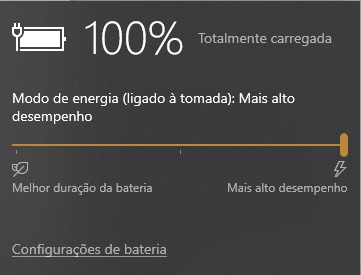
4- Before selecting the available version, make sure that the module is unplugged from the vehicle wiring harness and the computer is connected to the socket, as well as the power mode at the highest performance.
5- Now just click on update and wait for the process to finish.
Check out what's updated:
Firmware:
- Possibility of starting datalogger recording when triggering burnout;
- Improvements in Nitro PWM and On/Off control;
- Improvements in the signal generated for the tachometer output;
- Adding the sequential injection option for engines with 3 cylinders or less;
- Correction in the calculation of the maximum MAP reached.
Software:
- Visual and textual corrections and improvements;
- Input and output options sorted alphabetically;
- Separate WB and NB meters in real-time window;
- Correction in sending and receiving quick injection fields;
- Tool for designing and calibrating traction control through the Datalogger;
- Correction in the oil and fuel pressure channels in the Datalogger;
- Supporting the sequential injection mode of the latest firmware version;
- Support for configuring Datalogger recording start on burnout.
If you have any questions, contact Injepro technical assistance.
